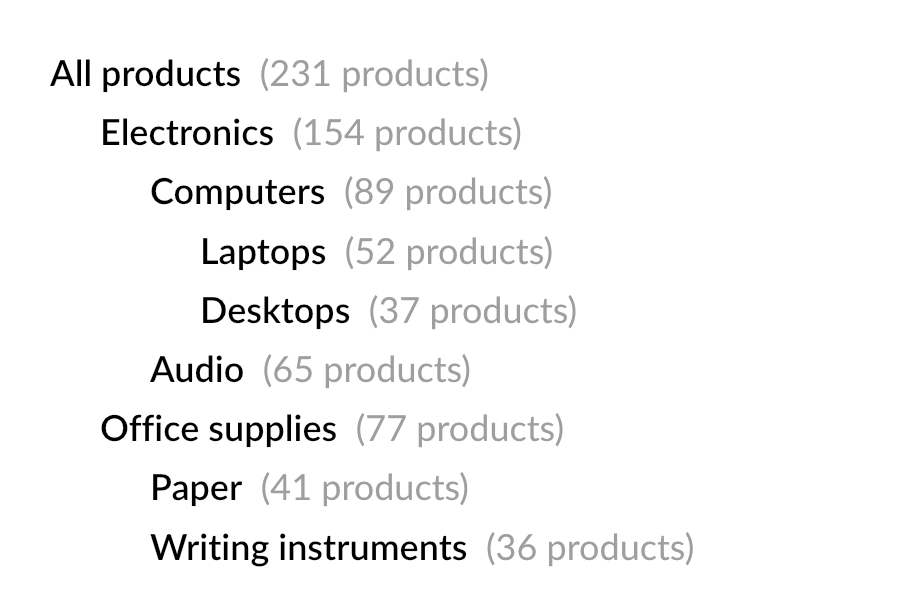
Dynamic composition: nested content
Hierarchical data appears in many documents: product category trees, organization structures, tables of contents, nested bills of materials, and so on. Such structures usually have an arbitrary depth that is known only at runtime.
Because QuestPDF layouts are composed with ordinary C# methods, rendering a tree is as simple as writing a method that calls itself for each child node.
Data model
Each node holds its own data and a list of child nodes:
csharp
public sealed record CategoryNode(
    string Name,
    int ProductCount,
    List<CategoryNode> Children);
csharp
var catalog = new CategoryNode("All products", 231, [
    new("Electronics", 154, [
        new("Computers", 89, [
            new("Laptops", 52, []),
            new("Desktops", 37, [])
        ]),
        new("Audio", 65, [])
    ]),
    new("Office supplies", 77, [
        new("Paper", 41, []),
        new("Writing instruments", 36, [])
    ])
]);
Composition
The composition method renders the current node and then invokes itself for every child. The depth parameter is incremented on each level and controls the left indentation, making the hierarchy visible.
csharp
private void ComposeCategory(IContainer container, CategoryNode node, int depth = 0)
{
    container.Column(column =>
    {
        column.Item()
            .PaddingLeft(depth * 25)
            .Text(text =>
            {
                text.Span(node.Name).SemiBold();
                text.Span($"  ({node.ProductCount} products)").FontColor(Colors.Grey.Medium);
            });

        foreach (var child in node.Children)
        {
            column.Item()
                .PaddingTop(8)
                .Element(x => ComposeCategory(x, child, depth + 1));
        }
    });
}
TIP
The Column element supports paging, so even large trees flow naturally across multiple pages.
Usage
To start the recursion, invoke the composition method with the root node:
csharp
container.Element(content => ComposeCategory(content, catalog));