Rounded Corners
Rounded corners can be applied to containers to create visually appealing designs.
This feature allows you to specify the radius of the corners, giving a softer look to the edges of the container.
| Method | Description |
|---|---|
| CornerRadius | Applies a uniform corner radius to all corners of the container with the specified value and unit. |
| CornerRadiusTopLeft | Applies a corner radius to the top-left corner of the container with the specified value and unit. |
| CornerRadiusTopRight | Applies a corner radius to the top-right corner of the container with the specified value and unit. |
| CornerRadiusBottomLeft | Applies a border radius to the bottom-left corner of the container with the specified value and unit. |
| CornerRadiusBottomRight | Applies a corner radius to the bottom-right corner of the container with the specified value and unit. |
Consistent Corner Radius
In the vast majority of cases, you will want to apply the same corner radius to all corners of a container.
csharp
container
    .Border(1, Colors.Black)
    .Background(Colors.Grey.Lighten3)
    .CornerRadius(25)
    .Padding(25)
    .Text("Container with consistently rounded corners");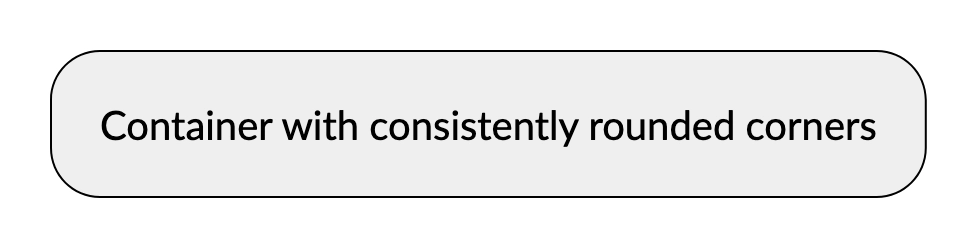
Various Corner Radius
It is also possible to apply different corner radii to each corner of a container, allowing for more complex designs.
csharp
container
    .Border(1, Colors.Black)
    .Background(Colors.Grey.Lighten3)
    .CornerRadiusTopLeft(5)
    .CornerRadiusTopRight(10)
    .CornerRadiusBottomRight(20)
    .CornerRadiusBottomLeft(40)
    .Padding(25)
    .Text("Container with rounded corners");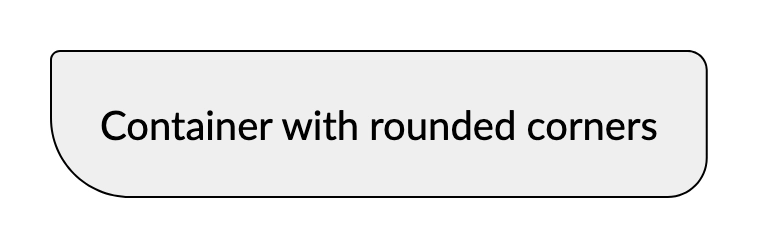
Image Example
Rounded corners can also be applied to images, enhancing their appearance in documents.
csharp
container
    .CornerRadius(25)
    .Image("Resources/landscape.jpg");
Complex Example
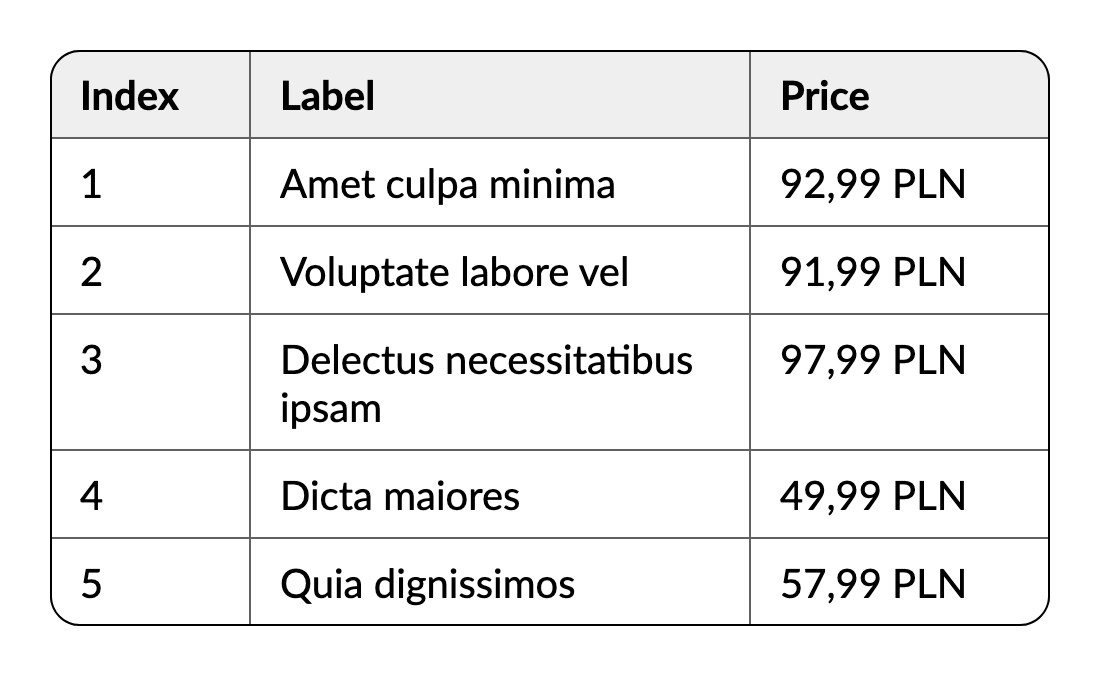
Rounded corners can be used in more complex layouts, such as tables, to create a polished look.
csharp
container
    .Border(1, Colors.Black)
    .CornerRadius(15)
    .Table(table =>
    {
        table.ColumnsDefinition(columns =>
        {
            columns.ConstantColumn(100);
            columns.RelativeColumn();
            columns.ConstantColumn(150);
        });

        table.Header(header =>
        {
            header.Cell().Element(Style).Text("Index");
            header.Cell().Element(Style).Text("Label");
            header.Cell().Element(Style).Text("Price");

            IContainer Style(IContainer container)
            {
                return container
                    .Border(1, Colors.Grey.Darken2)
                    .Background(Colors.Grey.Lighten3)
                    .PaddingVertical(10)
                    .PaddingHorizontal(15)
                    .DefaultTextStyle(x => x.Bold());
            }
        });

        foreach (var index in Enumerable.Range(1, 5))
        {
            table.Cell().Element(Style).Text(index.ToString());
            table.Cell().Element(Style).Text(Placeholders.Label());
            table.Cell().Element(Style).Text(Placeholders.Price());

            IContainer Style(IContainer container)
            {
                return container
                    .Border(1, Colors.Grey.Darken2)
                    .PaddingVertical(10)
                    .PaddingHorizontal(15);
            }
        }
    });